RuleThemAll

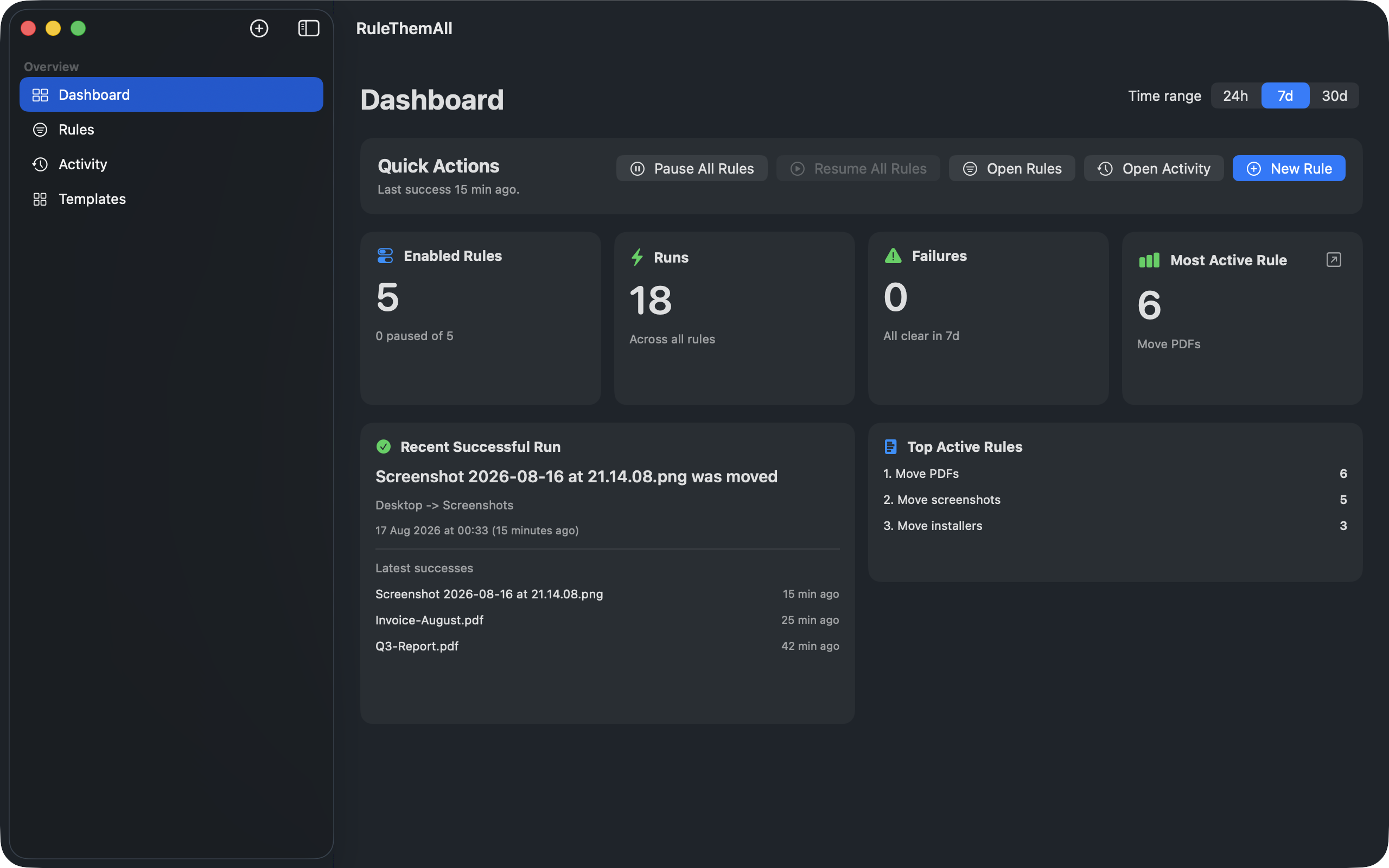
RuleThemAll is a native Mac file organizer with the tools you need to watch folders, write rules, and keep files in their place. Watch Downloads, Desktop, and screenshots. See every action on the dashboard. Undo a move, copy, or rename anytime.

RuleThemAll dashboard on Mac, showing enabled rules, recent runs, and activity.

Rules

Write a rule. Watch it execute.

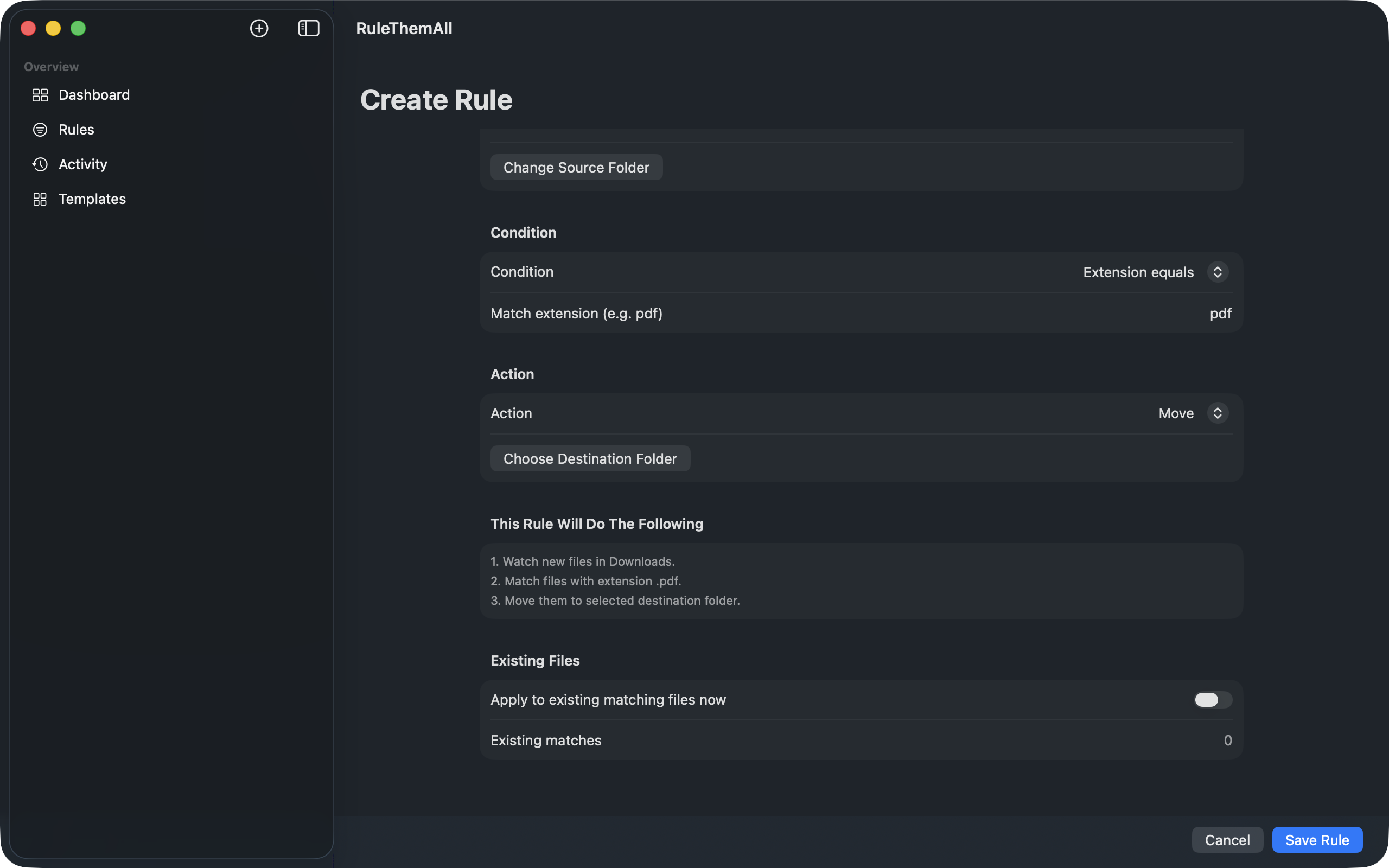
A rule is one sentence: when a file appears here, and it matches this, do that. Watch Downloads, Desktop, screenshots, or any folder you grant. One condition. One action. Files are never overwritten.
How to create your first rule

Create Rule in RuleThemAll: watch Downloads, match PDF files, and move them to a destination folder.

Activity

Overturn any action, anytime.

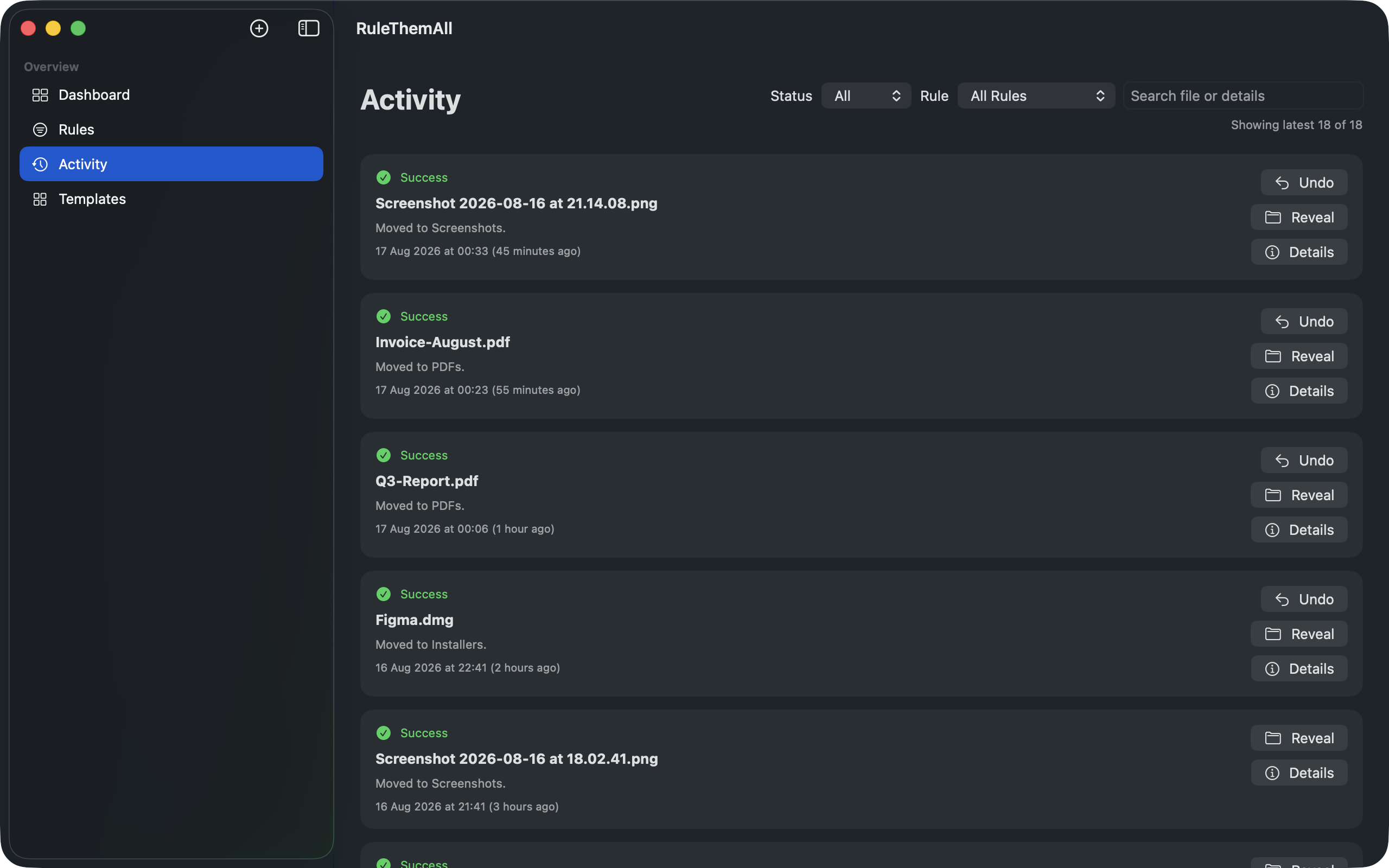
A rule was too eager. Put the file back from the log, then tighten the condition. Undo covers moves, copies, and renames. Reveal in Finder if you want to look.
How to undo a move, copy, or rename

Activity log in RuleThemAll, with undo and reveal for every move.

Templates

Start with the mess you already know.

Start from a useful rule, then choose folders in the editor. Installers, ZIPs, PDFs, screenshots, images, video, and audio. You still pick the destination and save.
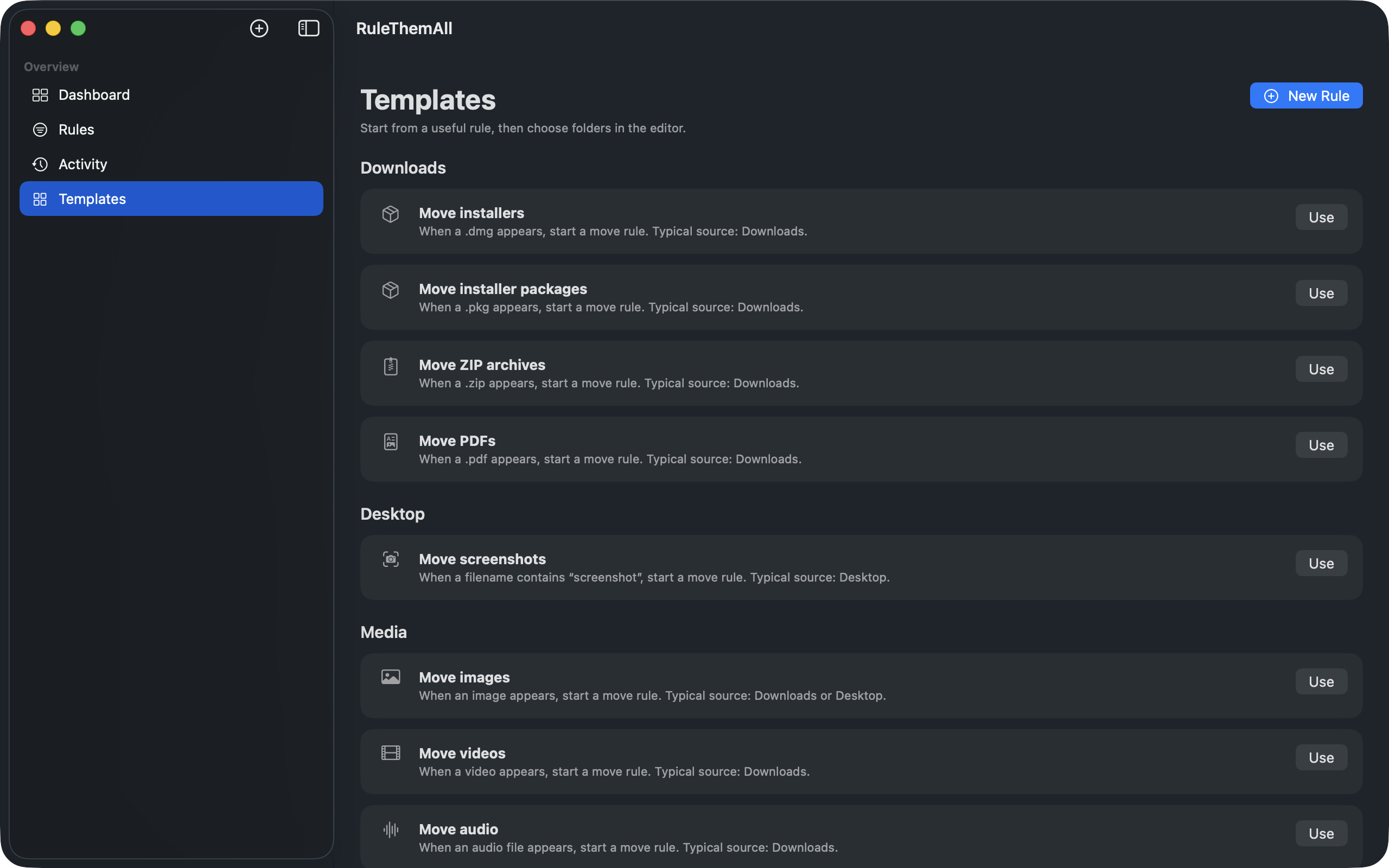
Templates in RuleThemAll for installers, archives, PDFs, screenshots, and media.

On your Mac

Files never leave the machine.

No account. No upload. You grant folder access. The app does not take the rest of the Mac.

Pricing

Start with one rule. Take the rest when you are ready.

Free

1 rule

One watched folder. Enough to put Downloads in its place.

  • Every condition and action
  • Dashboard, log, and undo
  • Pause and resume on your terms

Pro

Unlimited

Monthly, annual, or lifetime. Same complete control.

  • Unlimited watched folders
  • Unlimited rules
  • On the Mac App Store

FAQ

Before you begin.

What is the best file organizer for Mac?

The safest one. Other Mac file organizers move files and leave you to hunt for them. RuleThemAll keeps a detailed log and lets you undo a move, copy, or rename, so a rule that was too eager is not a disaster.

How do the rules work?

You write a rule: watch a folder, match a condition, execute an action. It runs when new files appear in Downloads, Desktop, Screenshots, or any folder you grant. You watch it in real time. You can overturn any action.

Is there a trial?

You do not need one. One rule and one watched folder are free for everyone, with no time limit. Same dashboard, log, and undo. Take unlimited rules when you are ready.

Can I undo if a rule was too eager?

Overturn any action, anytime. Undo is built in so your files are never lost. The log tracks the smallest operation and its details, so you can go back in time.

Does it need the cloud?

No. Local-first. No account. No upload. Files never leave your Mac. You grant folder access; the app does not take the rest of the machine.

Mac App Store

Coming soon.

A full native Mac app. Write the rules. Watch them execute. Overturn anything. Your files never leave the machine.